
Programming Hotmoka
A tutorial on Hotmoka and smart contracts in Takamaka
2.5 Importing accounts
We have created 7f4ad9db011016b8…#0 with moka and 826b150ccd5bf7ac…#0 with Mokito. We might want to import the former in Mokito and the latter in moka, so that we can operate on both accounts with both tools. In order to import 826b150ccd5bf7ac…#0 in moka, we can use the moka accounts import command and insert its 36 words passphrase from Fig. 2.7a:
moka accounts import bench cradle hat deer game nation stage extra elite alarm pupil eight sudden amused uniform clip catch apart alpha autumn fat away theme ski excuse truly gospel clay silent stairs route pyramid exile find outside
decade
The key pair of the account has been imported into "7d88107b595a2401481c07d53620f806524f1d2d93151c87a8af25784faad676#0.pem".
After that, it is possible to control that account with moka (if we remember its password, that is, chocolate).
Vice versa, in order to import into Mokito the account that was created with moka, first export the 36 words of that account:
moka account export 7f4ad9db011016b852cc1bedeee43905bbd53470a4eac211b2647798e331661d#0
The following BIP39 words represent the account:
 1: blouse
 2: dial
 3: shield
 4: derive
 5: risk
 6: example
 7: stereo
 8: panic
 9: farm
10: pony
11: steel
12: path
13: visa
14: hollow
15: hire
16: capital
17: birth
18: secret
19: reason
20: daughter
21: ten
22: improve
23: tomato
24: resist
25: steel
26: phone
27: circle
28: stereo
29: canal
30: summer
31: mushroom
32: vessel
33: tobacco
34: menu
35: mansion
36: borrow
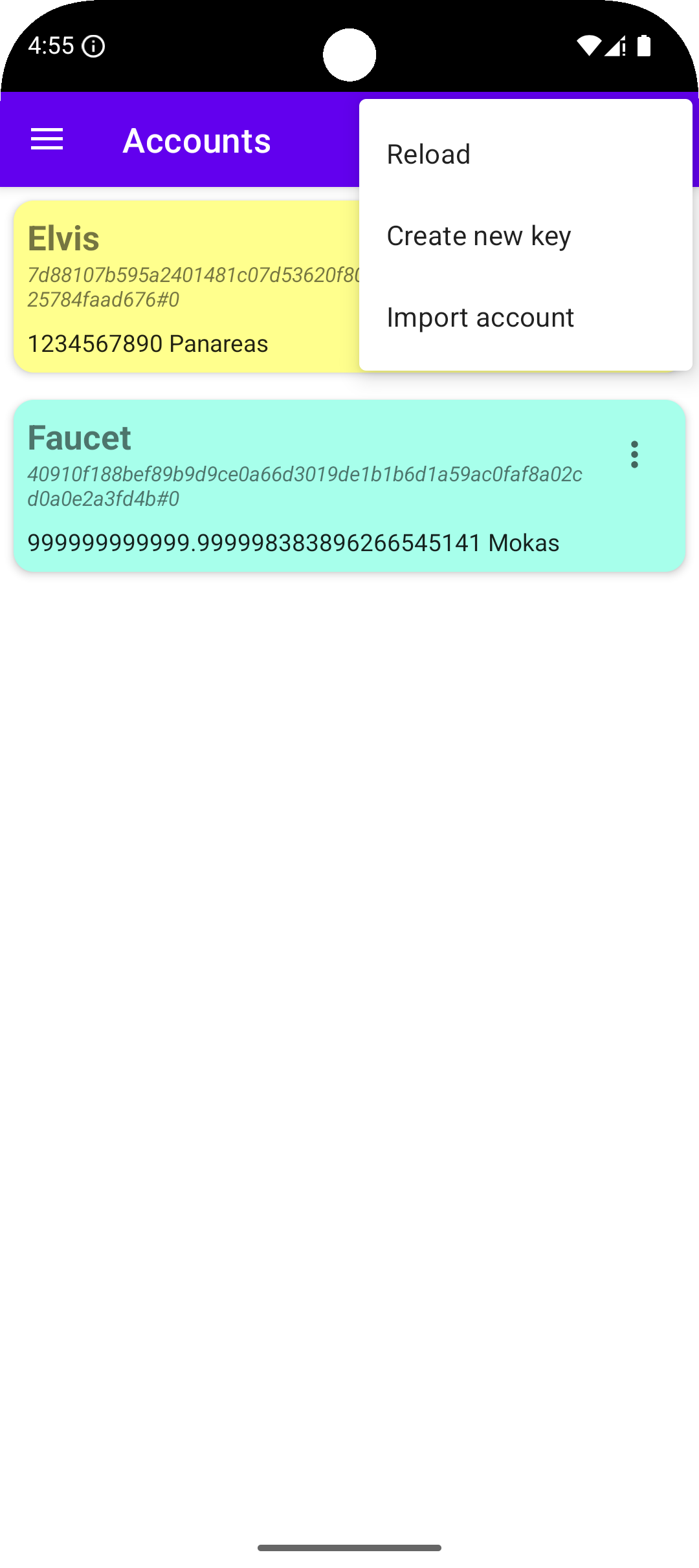
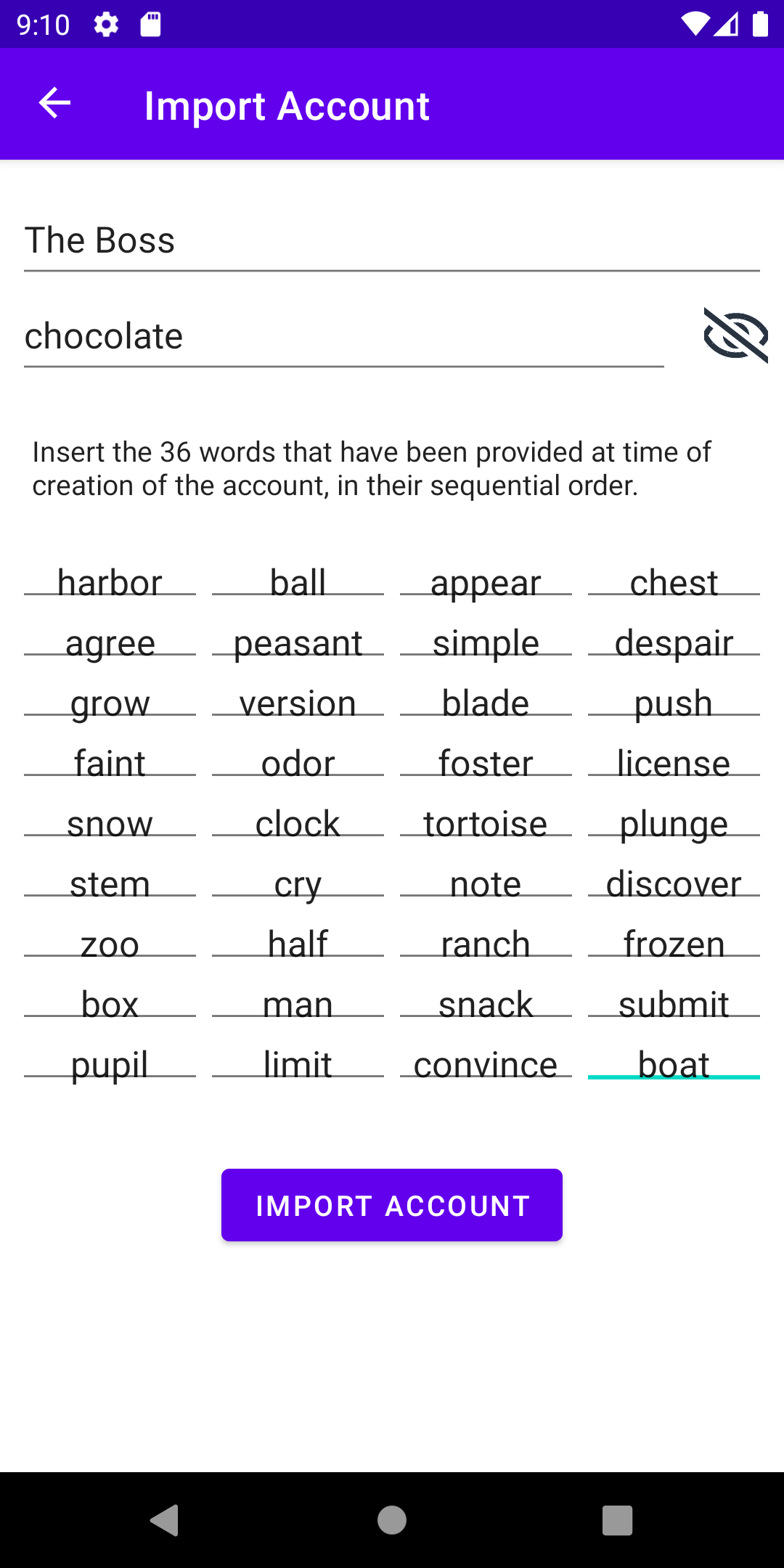
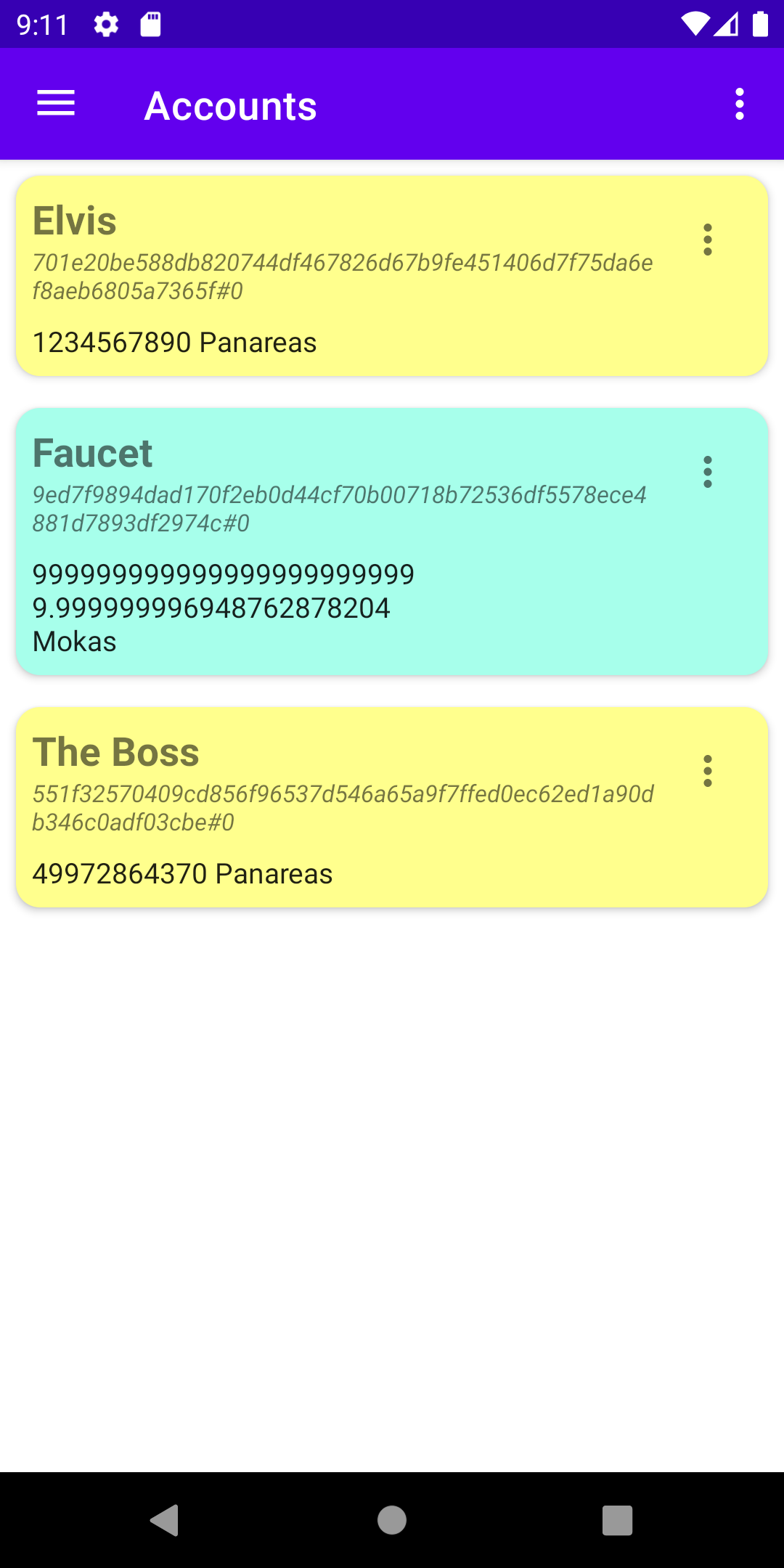
Then go to the accounts page of Mokito and show the top-right menu of the accounts page; select Import account (see Fig. 2.8a). In the screen that will appear, insert the name that you want to give to the account, its password and its 36 words passphrase (Fig. 2.8b). Tap on the Import Account button. The new account will show in the list of available accounts (Fig. 2.9). From this moment, it will be possible to control the account from Mokito.
The 36 words of an account are enough for moving accounts around different clients. Note that clients do not contain accounts but only the cryptographic information needed to access the accounts. If a client is uninstalled, the accounts that it used still exist in the remote Hotmoka node and can still be re-imported and used in some other client, if we have written down their 36 words.